Efficient by default
Frequent operations are close at hand, with shortcuts and commands designed for repeated use.
About the project
A Windows file manager for people who want more control over everyday file work. Multi Commander combines a dual-panel workspace, efficient keyboard operation, built-in tools, and deep customization in one application.
Designed for real file work
Multi Commander is built around the tasks that repeat every day: navigating large folder structures, copying between locations, searching, renaming, working with archives, and inspecting file content.
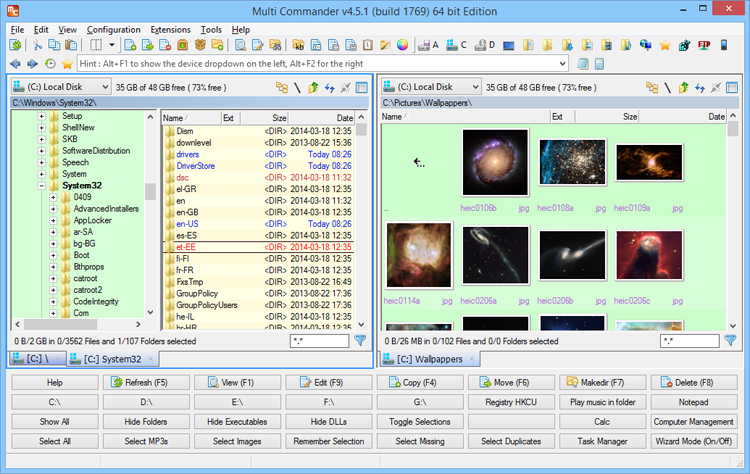
The dual-panel layout keeps source and destination visible at the same time. Commands, shortcuts, tabs, and built-in tools reduce the number of separate applications and dialogs needed to finish a task.
Product principles
Multi Commander provides strong defaults while keeping the interface and workflow under your control.
Frequent operations are close at hand, with shortcuts and commands designed for repeated use.
Layouts, hotkeys, menus, toolbars, colors, and behaviors can be adjusted to fit different workflows.
Search, rename, archive, viewer, checksum, and picture tools work directly with the selected files.
Plug-ins, application extensions, scripts, and custom commands can add specialized capabilities.
Independent software
Multi Commander is developed and maintained by Mathias Svensson in Sweden. It is an independent project shaped by practical file-management needs and direct feedback from the people who use it.
The application is offered without bundled adware or toolbars. Bug reports, feature discussions, translations, documentation work, and donations all help the project continue to improve.
Learn more
See what Multi Commander can do, learn how to use it, or build an extension of your own.