Core Settings
The Core Settings are settings in Multi Commander that affect how the core behaviour works. To configure these, select "Core Settings" under the Configuration menu.
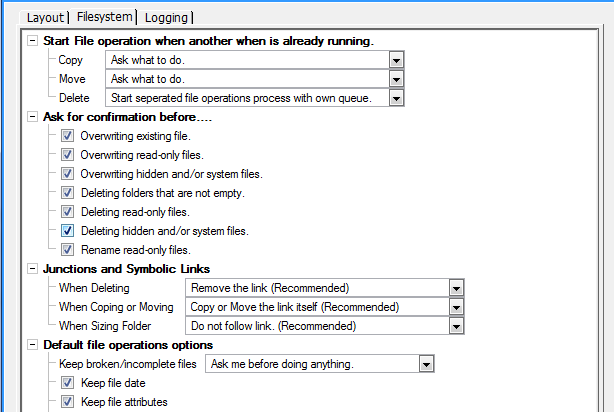
Settings like Language, Tab Location, File System Operations and Logging can be found here. These are settings that are not affected by extensions or plug-ins.
Tooltips are available to explain the effect of most settings.
Notable Settings
Auto Save Settings
Multi Commander can be configured to automatically save all settings at a regular interval. To enable this, go to Configuration → Core Settings and enable the Auto Save Settings option, then choose the interval in minutes. This ensures your layout, tab positions, and other preferences are persisted even if Multi Commander is closed unexpectedly.